How guests book an event
What guests see on the events pages and in the booking steps, including payment choices and the waitlist.
Updated 20 October 2026Depends on your plan
The events list
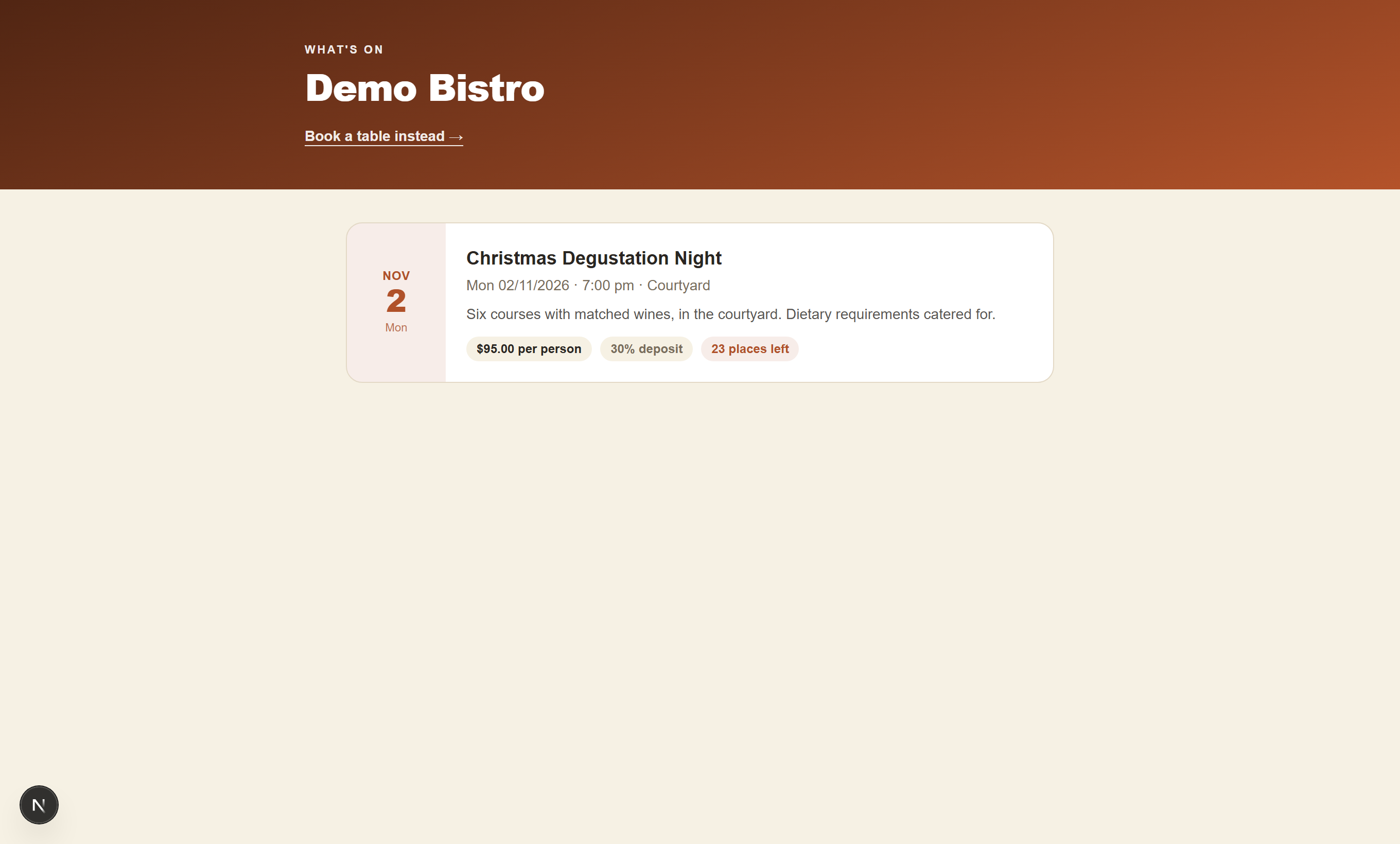 The What's on page guests see
Guests find events at What's on (/your-venue/events), linked from your booking page. It lists published events that haven't finished, each with the date, area, price and a label:
- Available, Nearly full, or N places left, depending on your availability setting.
- Fully booked (or "Fully booked, waitlist open").
- Bookings not open yet or Bookings closed.
The event page
The guest sees the description, when, where, price, the deposit percentage and your cancellation policy. They press Book places. If booking isn't possible they see why: fully booked, bookings open on a date, or closed.
The three steps
1. Places and your details
- How many places? A stepper limited by your maximum per booking and the places left.
- Name, plus a phone or an email.
- Where would you like to sit? appears if the event offers two or more areas, with We'll pick for you as the default. Areas without enough room are marked.
- A message box for anything the venue should know.
When they press Next, TableSoul checks whether the guest already has a booking for this event (by email or phone). If so they're told to use the link in their confirmation email. This stops accidental double bookings.
2. How would you like to pay? (paid events only)
- Pay the deposit, or the full amount if there is no deposit.
- Pay in full now, if you allow it.
- Split it with my group, if the event allows it. See Split payments for groups.
3. Check and confirm
- If the event has a cancellation policy, a box they must tick: "I've read the cancellation policy".
- An unticked box for offers and updates, and a link to the privacy policy.
Afterwards
- Free events: "You're booked in", with a link to view or cancel.
- Paid events: they're sent to Stripe to pay, with places held meanwhile. See Take card payments with Stripe.
- Without card payments on, they're booked straight away and told the venue will arrange payment.
If a payment isn't finished, the page says "Your payment wasn't completed" and offers Pay now while the places are still held.
When an event is full
If the waitlist is on, guests can join it: "If places open up we'll email you straight away and hold them for you for 2 days. Nothing is booked or charged until then." See Run a waitlist for a full event.
Questions from guests about their booking: What your guest sees on their booking page.
Did this answer your question?