Customers and guest profiles
Search your guest list, see a guest's history, and keep notes and dietary tags so staff remember them next time.
Updated 18 October 2026
The Customers page is your guest list. Each person has one profile, no matter how many times they book.
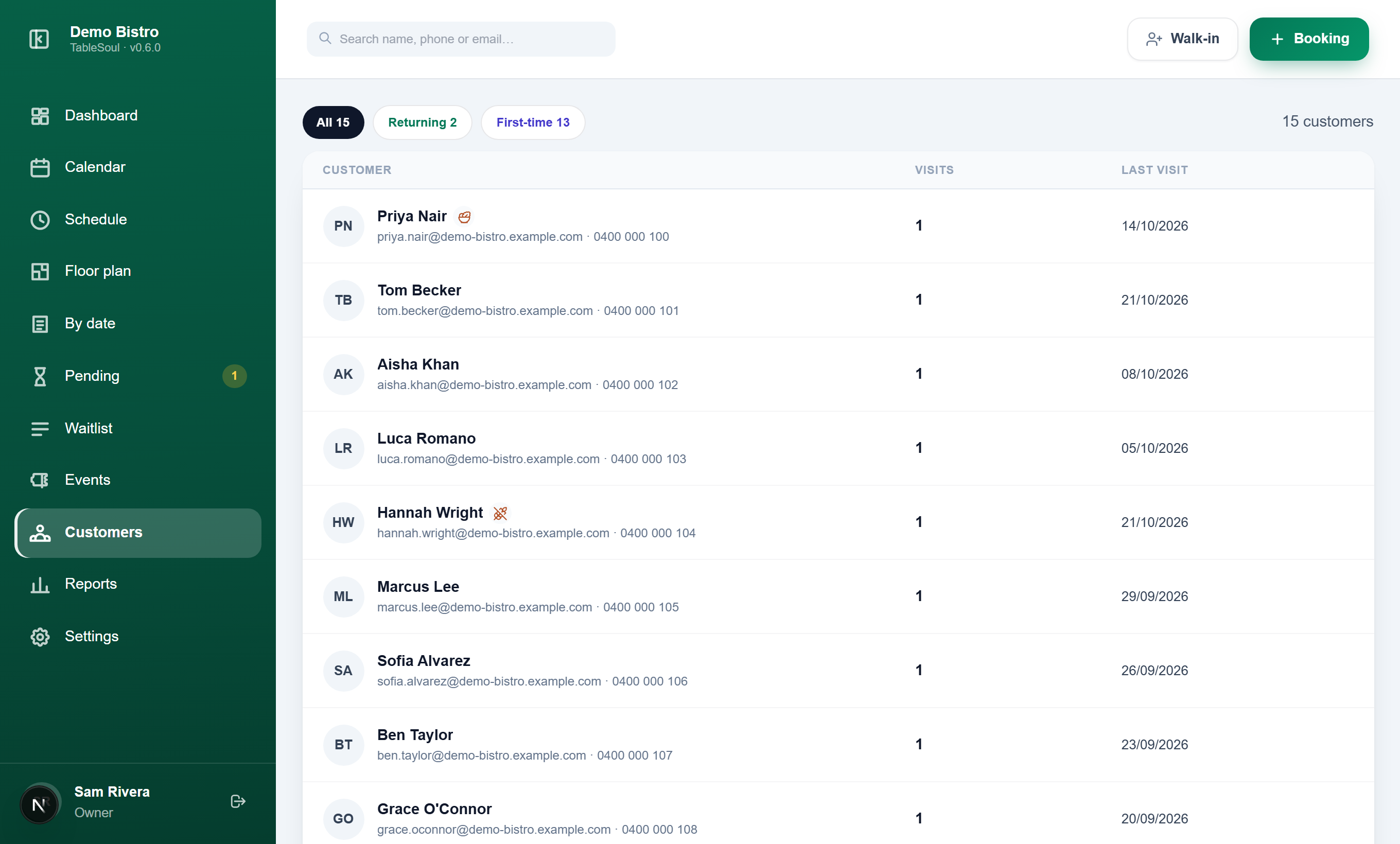 The Customers page
Find someone
Search by name, phone or email. The pills above the list filter by All, Returning and First-time.
Each row shows their name, tag icons, contact details, Visits and Last visit. The list shows the 50 most recent guests. Use search to find anyone else.
You only see guests who have a booking or waitlist entry at your venue.
How visits are counted: a visit is added every time a booking or waitlist entry is created for the guest, including walk-ins. It counts bookings made, not meals eaten, and cancelling doesn't reduce it. Returning simply means more than one visit.
The guest profile
Click a guest to open their profile.
- Header: name, phone, email and when they became a customer. The pencil edits their contact details. Book for [name] starts a booking with their details filled in.
- Tiles: Bookings, Covers, No-shows, Cancelled and Last visit.
- What to remember: their tags and a free-text note for staff. Anything you write ("Prefers the window table") is shown for every booking, so the next person sees it. Press Save note to keep changes.
- Booking history: tabs for All, Completed and Cancelled (which also includes declined and no-show). You can act on bookings from here.
Editing details
Change Name, Phone or Email and press Save. This updates the guest on every booking they have. A guest must keep at least one of phone or email.
Known for
You'll see Known for: and small icons on a booking. These are the guest's standing dietary and other tags, such as Vegan or Wheelchair accessibility.
- They are added to the guest whenever staff or the guest tag a booking with a dietary or other tag.
- They are never removed automatically.
- Special occasion tags (Birthday, Anniversary) stay on that single booking.
Finding a guest while booking
In + Booking, start typing a name, phone or email and pick the guest from the list. Their saved tags come with them. See Take a phone booking.
Did this answer your question?