Edit an event booking and tell the guest
Change places, seating area or contact details on an event booking, and choose whether the guest is emailed.
Updated 18 October 2026Depends on your plan
You can change an event booking at any time before it is cancelled. Open the event, then click the guest's card (or use Edit).
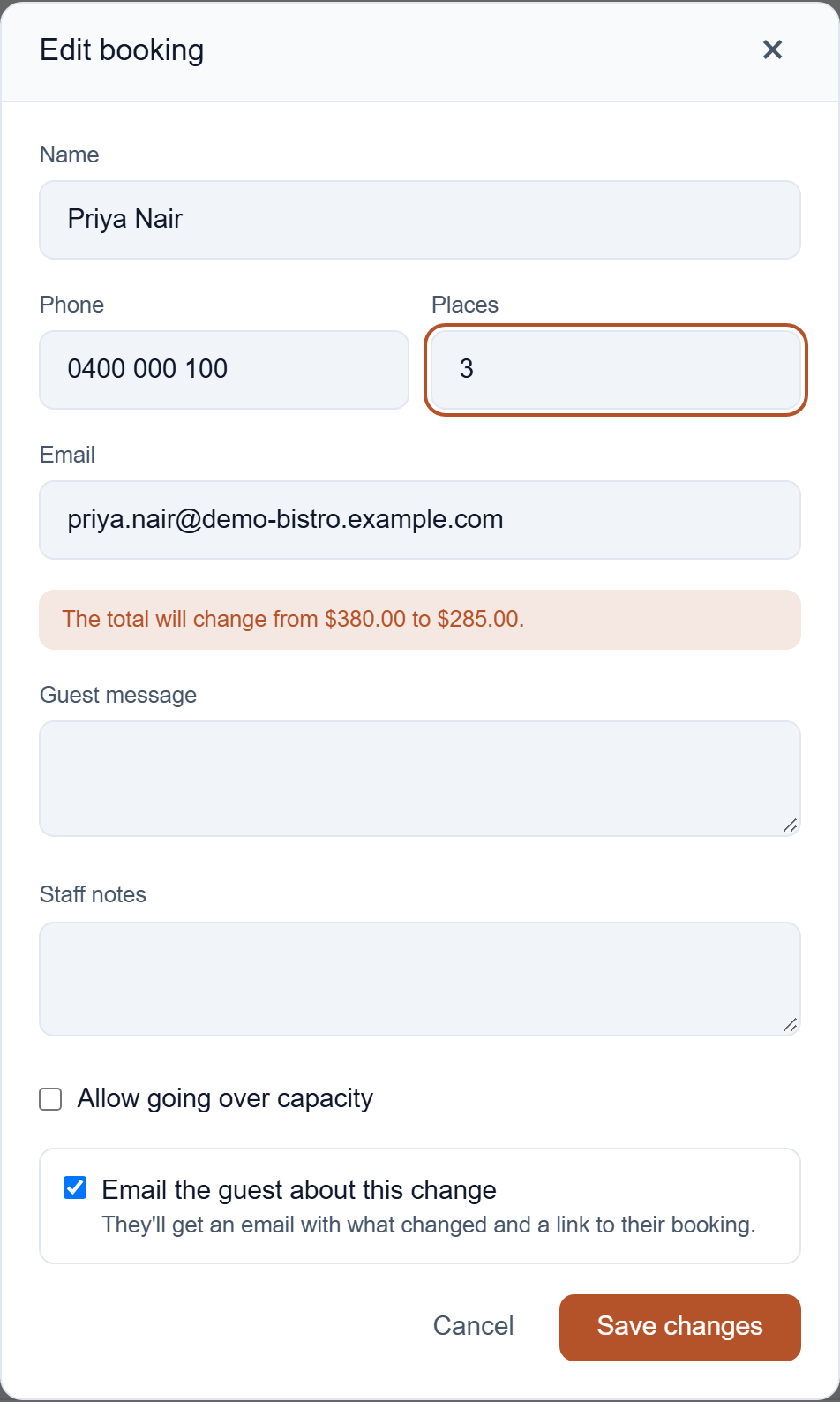 Editing an event booking
What you can change
- Name, phone and email of the guest.
- Places. The total is recalculated and the event's capacity is checked.
- Seating area, for events that offer more than one. Changing it picks new tables in that area.
- Guest message and Staff notes.
If the new number of places is not available, you will see a message explaining why. Owners and managers can tick Allow going over capacity to override it.
Contact details are shared
A guest's name, phone and email are stored once and used on all of their bookings. When you change them, a notice appears: "This updates [name]'s details on all their bookings."
Emailing the guest about a change
When you change the places, the seating area or the email address, a box appears: Email the guest about this change. It is ticked by default.
- The email lists exactly what changed (for example Places: 4 → 3) and links to their booking.
- If you changed the email address, the email goes to the new address, and the old address is told that the email on the booking was changed. The old address never receives booking details or a link.
- Fixing a typo in a name or phone number does not send any email.
Untick the box if you have already spoken to the guest.
Tip: The wording of this email can be changed in Settings > Emails, under "Booking changed by staff".
History
Each change is recorded on the booking card, for example "Places: 4 → 3, edited by Sam, 18 Oct 3:41 pm, guest emailed", so anyone on the team can see what was changed and by whom.
Fewer places and refunds
If the guest has paid and you reduce their places, use Refund on the booking to pay back the places you released.
Did this answer your question?