Set up your services
Create Lunch, Dinner and other sittings, with their days, times, party sizes and booking rules.
Updated 18 October 2026Managers and owners only
A service is a sitting guests can book, like Lunch, Dinner or Private Event. Open Settings > Services. Staff can see the list, and managers and owners can change it.
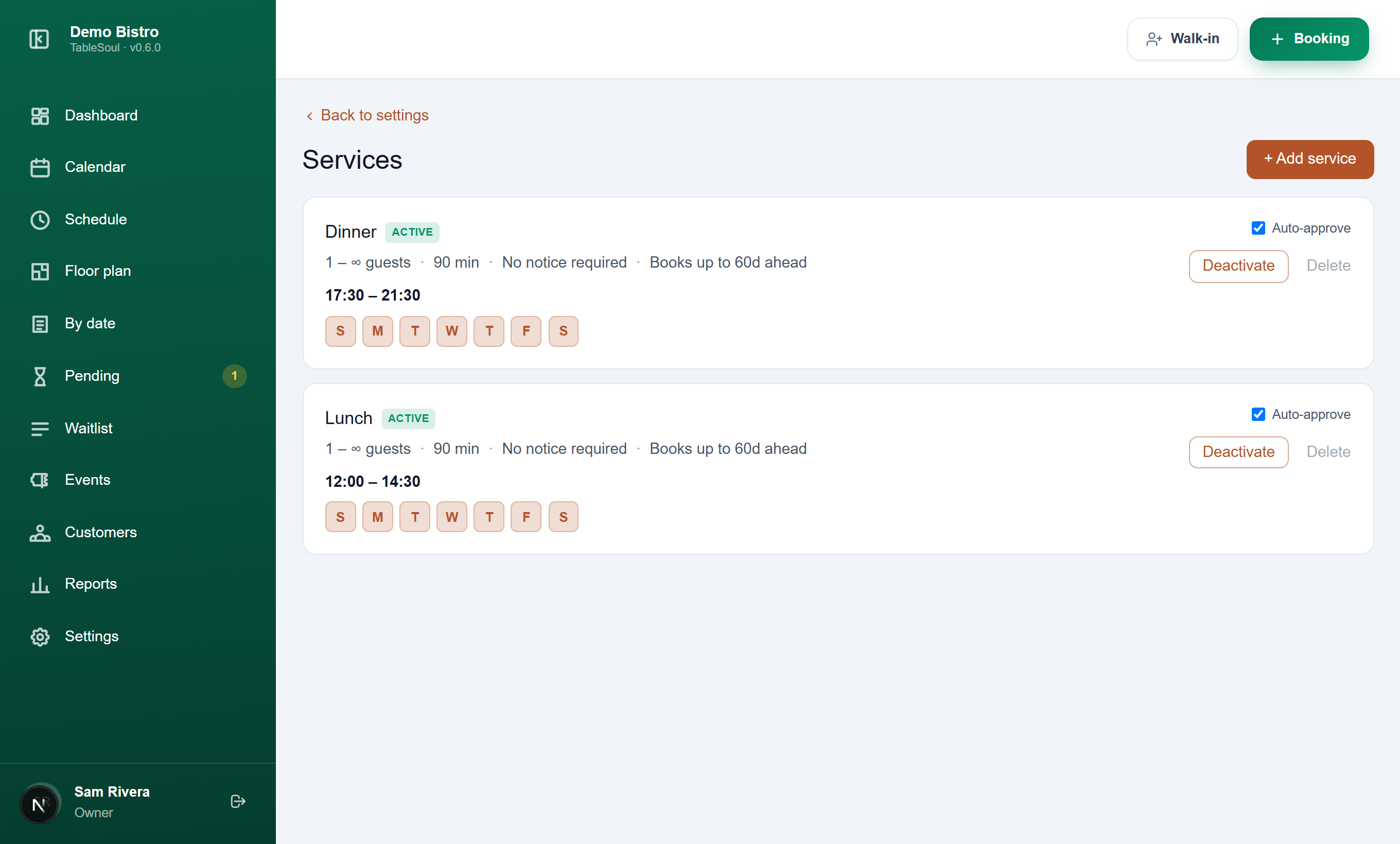 The Services page
Add a service
Press Add a new service and fill in the form.
Basic details
- Service name (required, up to 60 characters).
- Min guests (default 1) and Max guests (leave blank for no limit).
- Duration (minutes): how long a booking holds a table. Default 90, minimum 15.
Availability
- Open on: tick the days. All seven are ticked by default and at least one is needed.
- Opens at and Last booking time. One pair of times applies to all ticked days. Online booking slots are every 30 minutes.
If your times fall outside your venue's opening hours you'll see an orange "Outside your opening hours" warning. It won't stop you saving and the service still takes bookings.
Booking rules
| Rule | What it does |
|---|---|
| Min notice | How close to the time a guest can book. Pick days, hours and minutes from three drop-down lists (touch friendly), and a line underneath says it in words, such as "2 hours". 0 means no minimum. |
| Advance window (days) | How far ahead guests can book. Blank uses the venue-wide setting. |
| Self-service cancellation | Restaurant default, Always allow or Never allow guests changing or cancelling from their email. |
| Cutoff (minutes) | How close to the booking guests stop being able to change it. |
| Auto-approve bookings for this service | On (default): bookings are confirmed immediately. Off: they wait for you on the Pending page. |
Press Add service to save.
Edit, deactivate or delete
Click a service to edit it. Each card shows whether it is Active and whether Auto-approve is on.
- Deactivate hides it from new bookings but keeps its history.
- Delete removes it. If it has any bookings it is deactivated instead.
Venue-wide booking window
Under Settings > Taking bookings, How far ahead guests can book sets the default for every service. Leave it blank for no limit. A service can set its own.
See also Approve or decline pending bookings.
Did this answer your question?