Handle a busy night
Tips for staying in control when you're nearly full, with walk-ins, late guests and a waitlist.
Updated 20 October 2026
Keep the floor plan open
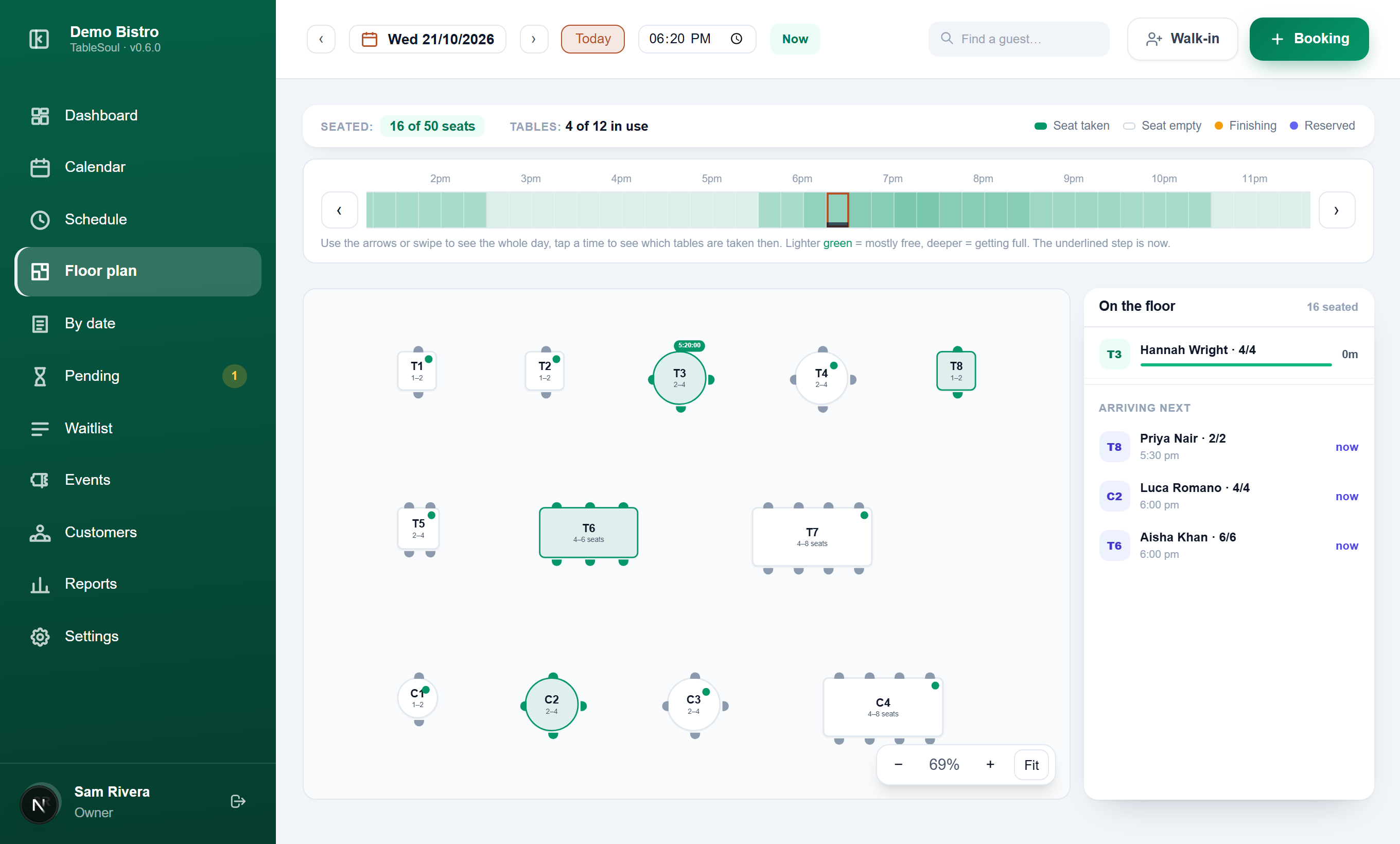 The floor plan on a busy night
The Floor plan is the best view on a busy night. It shows who is seated, which tables are Finishing within 15 minutes, and who is Arriving next. See Use the floor plan.
When a walk-in arrives and you're full
- Check the floor plan for a table marked Finishing or one that's free later in the evening.
- If one fits, use Walk-in and choose it. See Seat a walk-in.
- If nothing fits, offer a time later, or take their details for the waitlist. See Use the table waitlist.
- If your venue allows it, a party that doesn't match a table's seat range can be seated with a deliberate override, which you tick each time.
When online booking runs out
Guests see "no times available" and, if you have a waitlist, a button to join it. You'll see the numbers on the Waitlist item. When a table frees up, contact the first guest yourself, then mark them contacted. TableSoul doesn't message them for you.
Late and missing guests
- Confirmed guests running late show a red "12m late" on the Dashboard.
- Decide your own cut-off, then mark them No-show so the table can go to someone else. See Handle a no-show.
Keep the team in step
Post anything the next person needs on Shift notes: Leave notes for the team. Don't over-promise a table you've already given away: change statuses as you go so the floor plan stays true.
Did this answer your question?