Leave notes for the team with Shift notes
Post a note for a day, edit it later, and see its history.
Updated 20 October 2026Depends on your plan
Shift notes are a shared board for each day: a handover, a reminder, or "table 6 wobbles." They live on the By date page, in a panel on the right titled Shift notes. The panel only appears if your plan includes Shift notes.
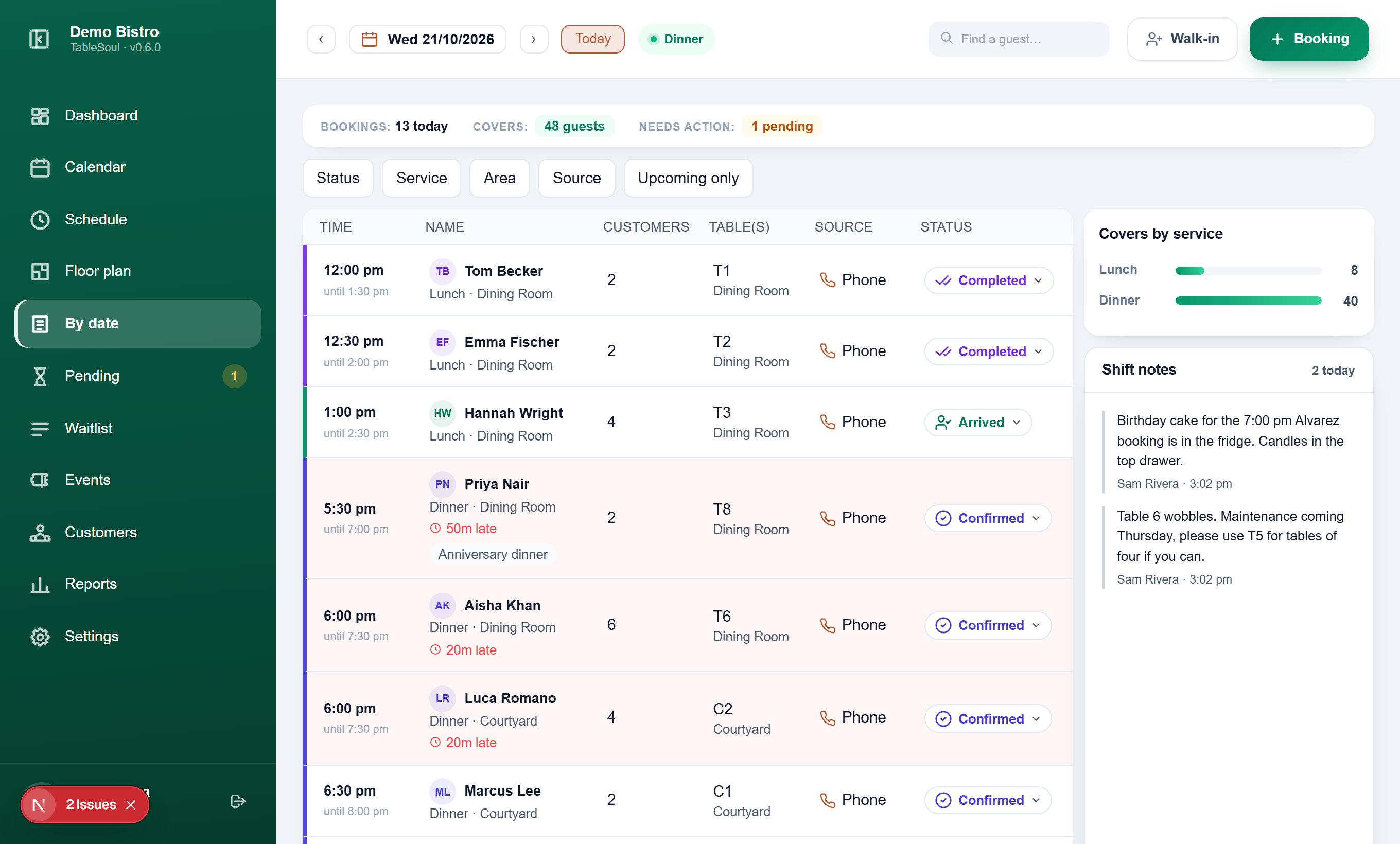 Shift notes on the By date page
Post a note
- Open By date and choose the day.
- Type in Add a note for the shift... (up to 1000 characters).
- Press Post.
Notes belong to the date you're viewing and are listed oldest first. Each shows who wrote it and when. (The counter at the top says "today" even when you're looking at another date.)
Read and edit a note
Click a note to open it.
- Press Edit, change the text and press Save changes.
- The panel shows when it was created and last edited.
- The history lists the original and every earlier version. Saving without changing anything doesn't add a version.
Who can do what
Everyone on the team, from staff to owner, can read, post and edit any note. There's no delete: edits are kept in the history so nothing disappears.
Tip: Don't put guests' personal details in notes. Anyone on the team can read them.
Did this answer your question?