Set up cancellation reasons and the "too late" message
Choose what guests can say when they cancel, and what they see once it's too close to change.
Updated 20 October 2026Managers and owners only
Open Settings > Changes & cancellations. It has four parts.
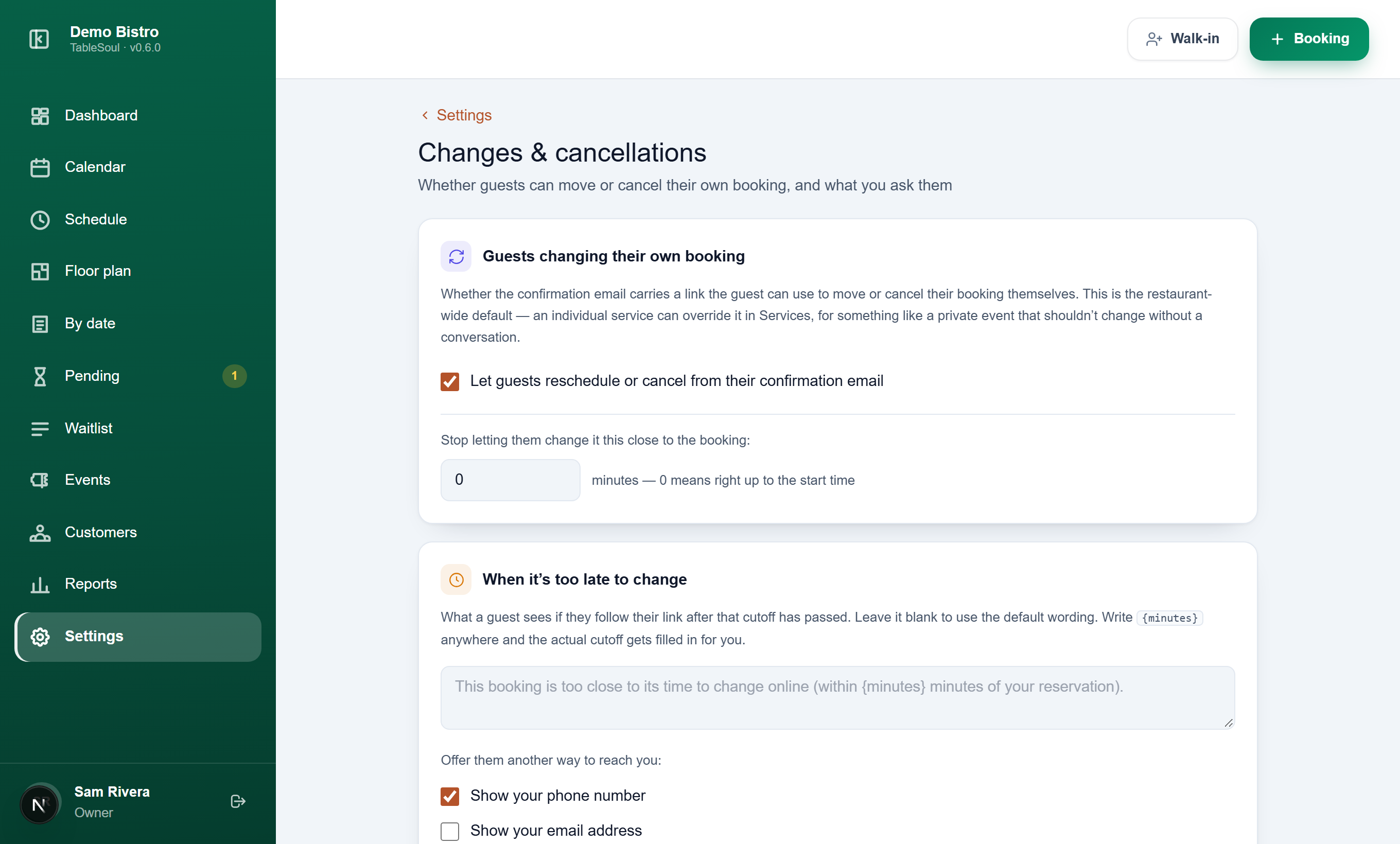 Changes and cancellations settings
Let guests change their own bookings
Tick Let guests reschedule or cancel from their confirmation email (on by default). With it off, no change link is created and emails have no manage button. A single service can override this in its own settings. See Set up your services.
Stop letting them change it this close to the booking: a number of minutes. 0 means right up to the start time.
The "too late" message
Once a booking is within the cut-off, the guest sees a message instead of the change buttons.
- Leave When it's too late to change blank for the default: "This booking is too close to its time to change online (within 120 minutes of your reservation)."
- Or write your own. The text
{minutes}is replaced with your cut-off. - Tick Show your phone number (on by default) and Show your email address (off by default) so they can contact you. These come from General settings.
- A live preview shows how it will look.
Asking guests why they cancelled
Asking guests why they cancelled has three modes:
| Mode | What the guest sees |
|---|---|
| Let them type anything (default) | An optional text box. |
| Pick from my list, or type their own | A drop-down of your reasons plus Other. |
| Pick from my list only | A drop-down they must choose from. |
Press + Add a reason to build your list, for example "Change of plans", "Illness", "Found somewhere else", and Remove to take one away. If you choose a list mode but add no reasons, guests get the free-text box.
The guest's reason is saved on the cancelled booking and shown to you as "Cancelled: [reason]". Use it to spot patterns.
Making staff give a reason too
Tick Require a reason when staff cancel a booking or mark a no-show. Staff then can't confirm without writing one. It's off by default. Staff type their own words: the guests' list isn't used for them.
Press Save in the bar at the bottom. See also How guests change or cancel a booking.
Did this answer your question?