Block a table for a while
Take a table out of online booking temporarily, or switch it off for good.
Updated 20 October 2026Managers and owners only
Lock it for a few hours
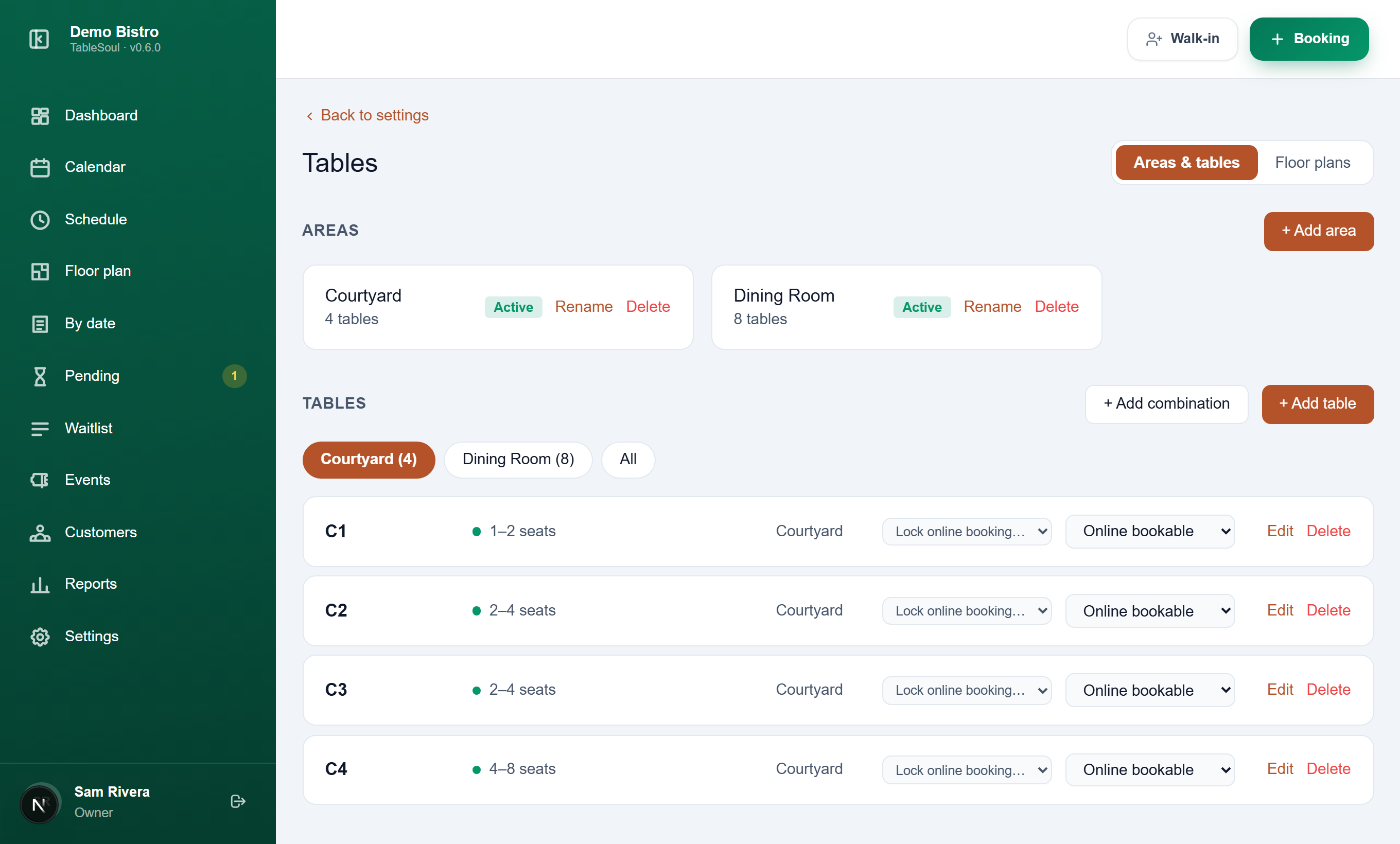 The Tables page
Use this for a wobbly table, a regular's reservation you haven't entered yet, or a spill.
- Open Settings > Tables.
- On the table's row, open Lock online booking and choose For 30 minutes, 1 hour, 2 hours or For the rest of the day.
- The row shows Locked until HH:MM. Press Unlock to release it early.
Remember: a lock hides the table from online guests only. Staff can still choose it when they take a booking, so tell the team.
Take it out permanently
On the same row, change the booking rule:
| Rule | Effect |
|---|---|
| Online bookable | Normal. |
| Staff only | Guests can't book it online, staff can. |
| Online only | Guests can book it, staff can't assign it by hand. |
| Not bookable | Nobody can book it. |
See Set up areas, tables and floor plans.
For a whole area or a whole day
To stop everything, use a special date: Close the venue for a day. To hold tables for an event, use the event's hold options: Hold tables and close dining for an event.
Who can do it
Managers and owners.
Did this answer your question?