Fix a double booking
What the overlap warning means, how to book a second table on purpose, and how to clean up an accidental duplicate.
Updated 20 October 2026
There are two kinds of "double booking": the same guest booked twice, and the same table booked twice.
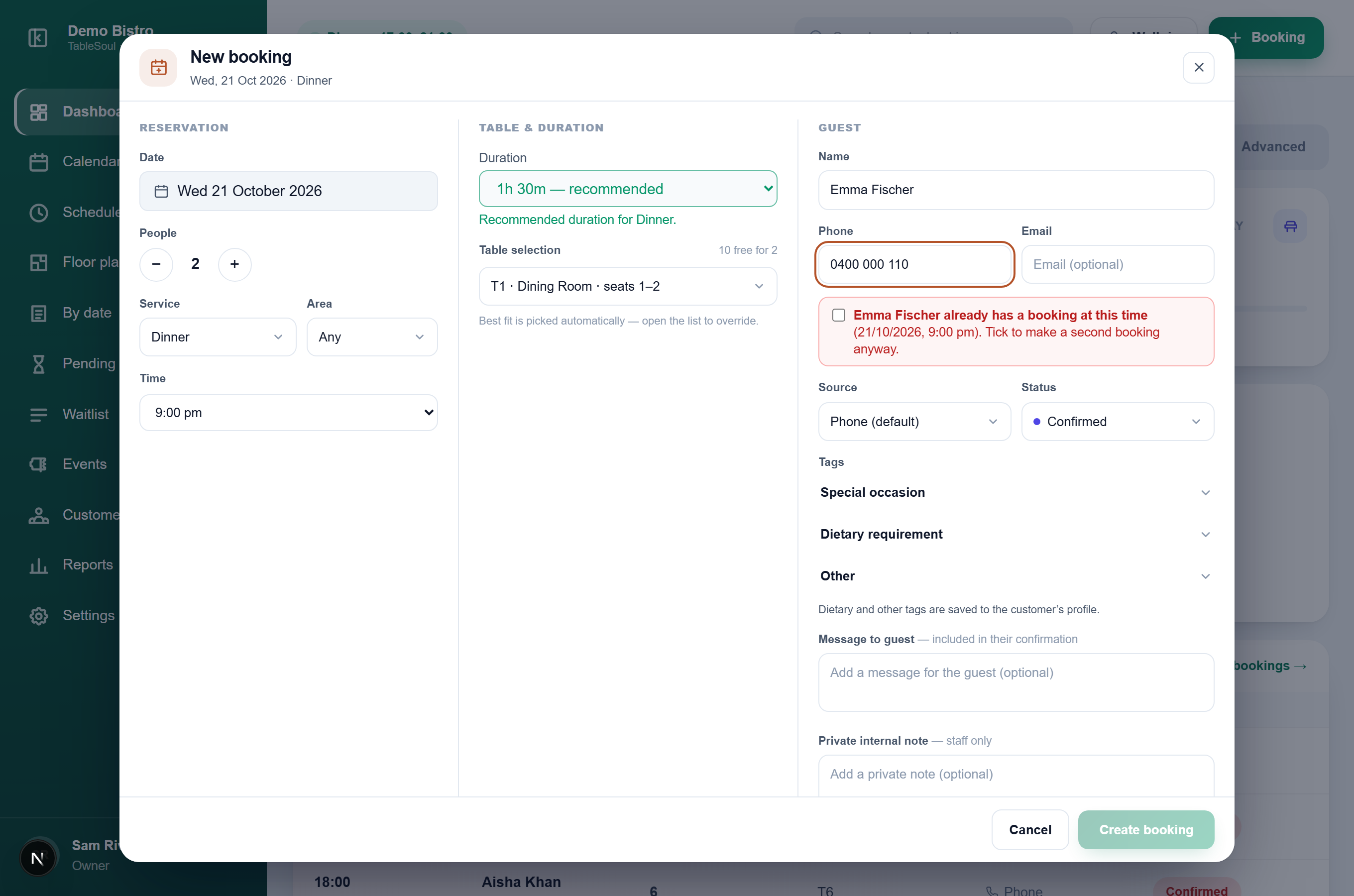 The warning when the same guest already has a booking
The same guest booked twice
When you enter a guest's phone or email in + Booking, TableSoul checks whether they already have a booking at an overlapping time. If so, a red box appears: "[Name] already has a booking at this time" and Create booking is switched off.
- By mistake? Close the form and open their existing booking instead.
- On purpose? (for example, they want two tables) tick the box in the red message. Create booking comes back.
Guests booking online can't do this at all: they see "You already have a booking that overlaps this time."
An accidental duplicate already exists
- Find both bookings (search the guest on By date or the Customers page).
- Keep the correct one. On the other, open the status menu and choose Cancelled.
- Untick Email [name] that it's cancelled unless you want to tell them.
The same table booked twice
TableSoul refuses to put two bookings on one table at the same time: you'll see "Table T4 already has another booking around that time".
One exception: approving a pending request onto a table doesn't check for other bookings, because you are trusted to choose well. After approving, glance at the Schedule to make sure nothing overlaps. If it does, move one: Move a booking to another table.
Related
Did this answer your question?