Cancel an event and refund everyone
Call off an event, tell your guests and return their money, step by step.
Updated 20 October 2026Managers and owners onlyDepends on your plan
Cancelling an event emails every guest but does not move any money. You refund each booking yourself.
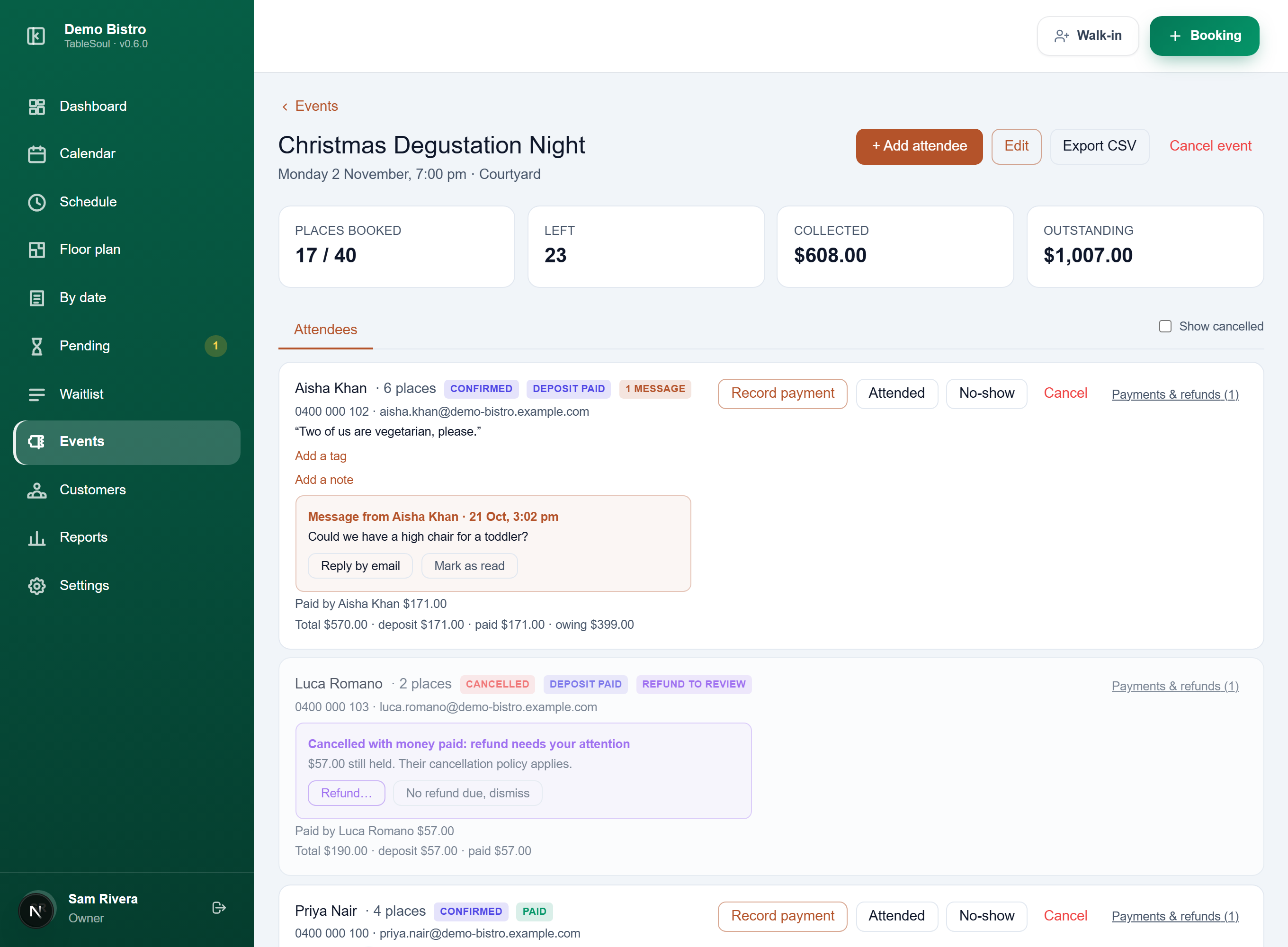 An event's attendee list
1. Cancel the event
- Open the event and press Cancel event.
- A prompt asks for an optional message to your guests. Write something kind and clear, for example "We're sorry, a burst pipe means we can't open on Friday. Full refunds are on their way."
- Confirm.
What happens: every active booking is cancelled, the waitlist is cleared, table holds and dining closures for the event are removed, open payment requests are cancelled, and each guest receives the "Event cancelled" email.
2. Refund each booking
- On the event page, tick Show cancelled.
- On each booking that has money in hand, press Payments & refunds, then Refund….
- Choose The venue cancelled (full refund). It suggests the full amount.
- Choose how to pay it back: Back to their card (Stripe) for card payments, or Bank transfer / Cash for money you took by hand (then press Record refund once you've paid).
- For a group, leave Everyone who paid selected, and everyone is refunded to their own card.
The booking badge changes to Refunded, and the event's Outstanding and Collected figures update.
Check you've got them all
- The events list shows N need attention for any booking still flagged.
- On the event, each card's money line shows what's still in hand.
- Cash that you refund by hand must be recorded, or the ledger will still show it as held.
Related
Refund an event booking, Create and publish an event, Emails guests and staff get for events.
Did this answer your question?