Run a ticketed set-menu night from start to finish
A complete walkthrough covering how to create the event, take deposits, manage the guest list and finish on the night.
Updated 20 October 2026Managers and owners onlyDepends on your plan
This ties the event articles together in the order you'll need them.
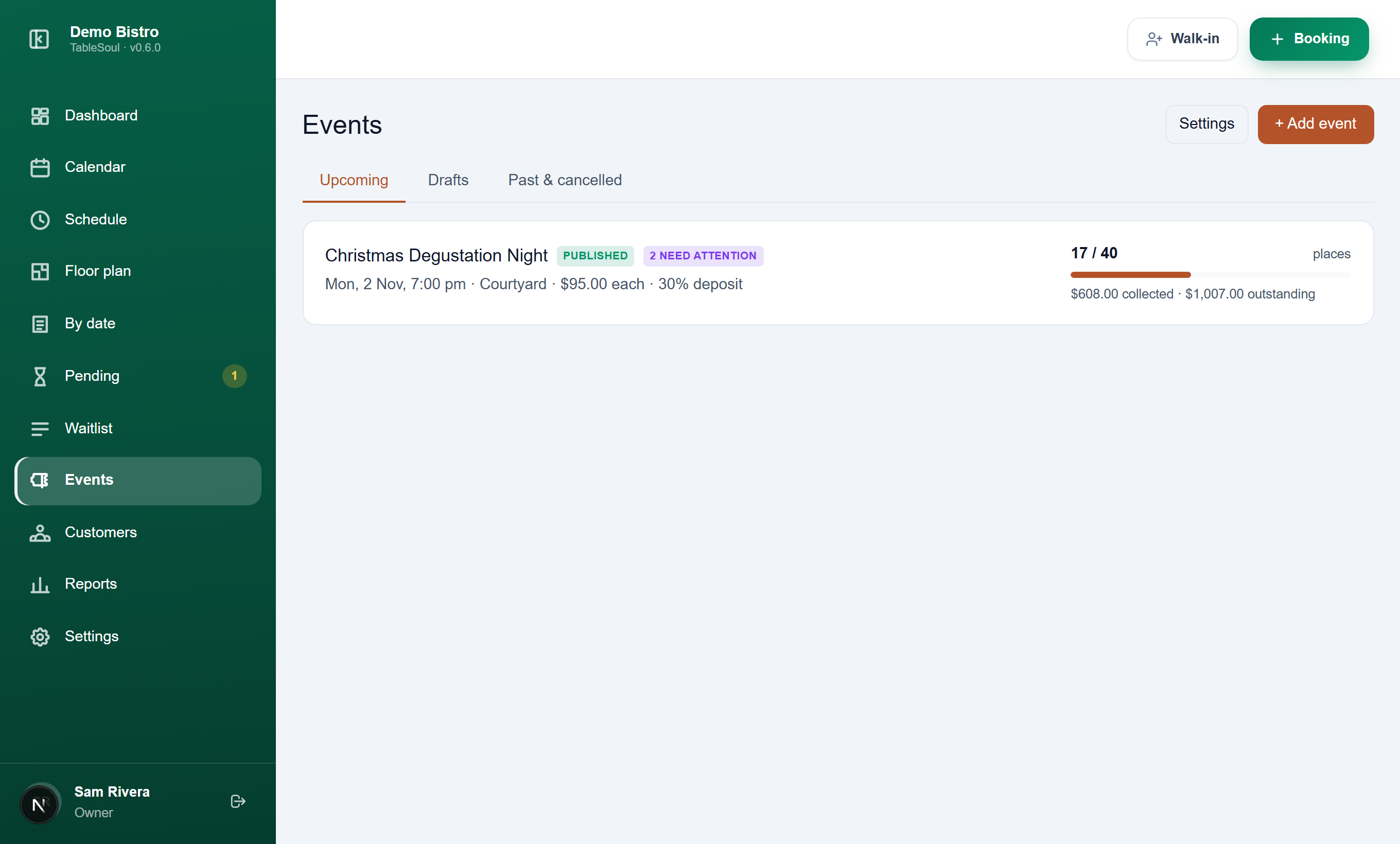 Your events list
Before you sell tickets
- Connect Stripe (owner, once) if you want guests to pay by card: Take card payments with Stripe.
- Set your policies in Events > Settings: refunds, group payments, waitlist and what guests see about availability: Events settings reference.
- Create the event as a Draft: title, time, places, price and deposit, and what happens to normal dining: Create and publish an event.
- Choose your refund policy so guests know the rules: Cancellation policy and automatic refunds.
- Publish when you're ready. Share the events link or QR code: Share your booking link, QR code and website widget.
While tickets are selling
- Watch Places booked, Collected and Outstanding on the event page: Read your events list and event numbers.
- Add people who phone: Add an attendee to an event. Record cash or bank transfers: Record a payment by hand.
- Groups can split the deposit: Split payments for groups.
- If it sells out, the waitlist can fill cancellations: Run a waitlist for a full event.
- Check anything Awaiting payment: Bookings awaiting payment.
In the last week
- Assign tables if the event holds them: Assign tables to event bookings.
- Export the guest list (managers) for the kitchen: Manage the attendee list and export it.
- Check dietary notes in each booking's guest message and tags.
On the night
Mark guests Attended as they arrive, and No-show if they don't. Record any balance paid at the door with Record payment.
Afterwards
- Look at the money: Collected against Outstanding.
- Chase unpaid balances, and handle any Refund to review tags: Refund an event booking.
Did this answer your question?