Take a deposit by bank transfer or cash
Run an event without card payments, and record money as it comes in.
Updated 20 October 2026Depends on your plan
You don't need Stripe to charge for events. Without card payments, TableSoul tracks what's owed and you record what you receive.
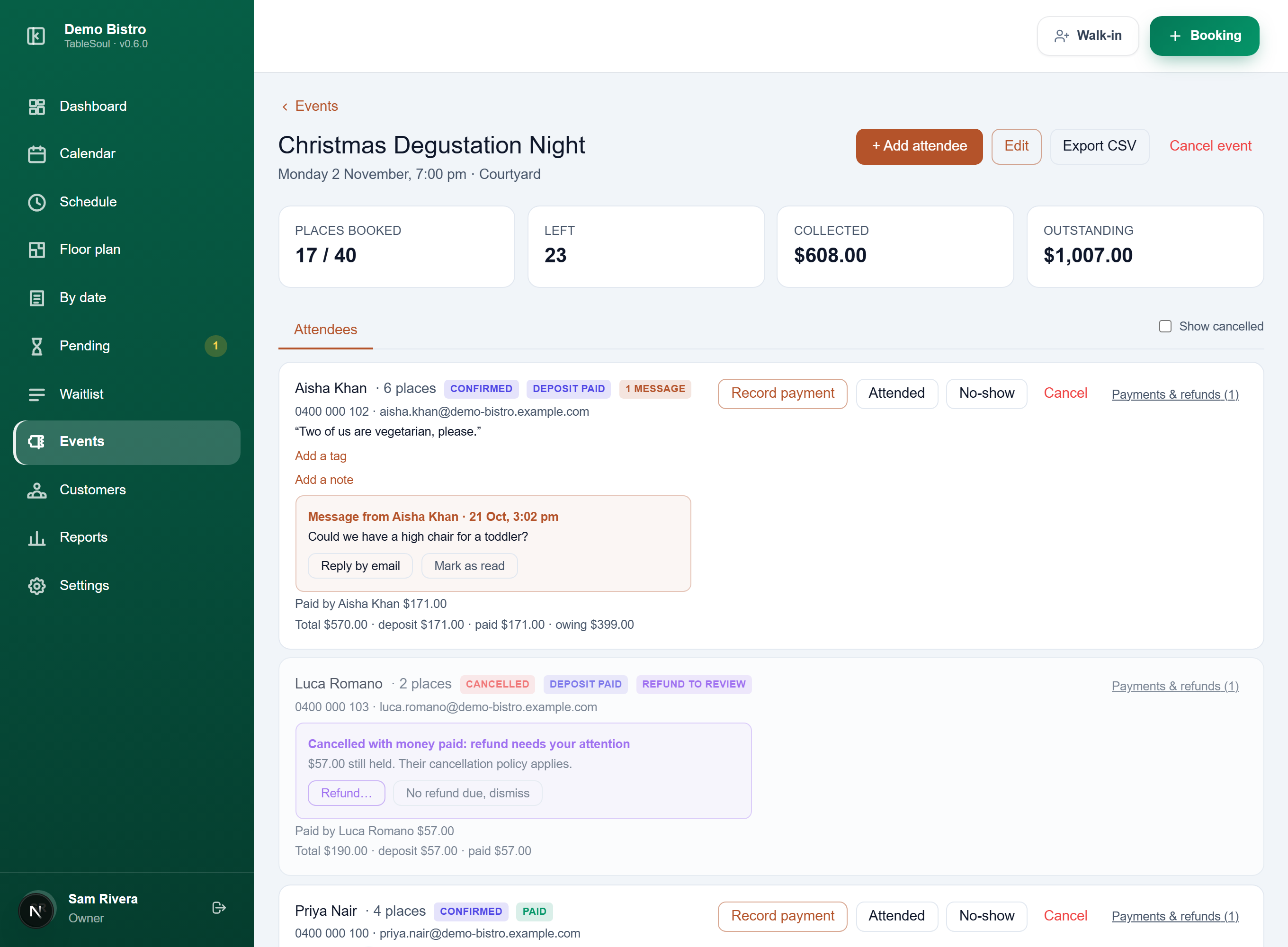 An event's attendee list
Set up the event
Create the event with a price and a deposit as normal, but leave Take the deposit/payment online by card unticked. See Create and publish an event.
What the guest experiences
They book and are confirmed immediately. Their confirmation says a deposit is due and that your venue will let them know how to pay. Tell them your bank details yourself, for example in a reply email or when you phone.
Tip: Put your payment instructions in the event description, or in your footer note in guest emails: Customise your guest emails.
Record each payment
- Open the event and find the guest's card.
- Press Record payment.
- Choose the Type (Deposit, Balance or Paid in full) and Method (Bank transfer or Cash).
- Add a Reference, for example the transfer reference.
- Save.
The guest gets a receipt email. The card's badge moves from Unpaid to Deposit paid or Paid. See Record a payment by hand.
Follow up
- Outstanding on the event page shows the total still owed.
- Each card shows owing for that booking.
- Unpaid bookings stay confirmed, so decide your own deadline and cancel if the deposit doesn't arrive.
If you refund later
Use Refund… and choose Bank transfer or Cash. Choose Record refund after you've paid the money back yourself: TableSoul only writes it down. See Refund an event booking.
Did this answer your question?