Run a free event
Take bookings for a free occasion with a fixed number of places, with no payments involved.
Updated 20 October 2026Managers and owners onlyDepends on your plan
A free event still uses places and capacity, so you can't over-fill the room, but there is no price, deposit or payment step.
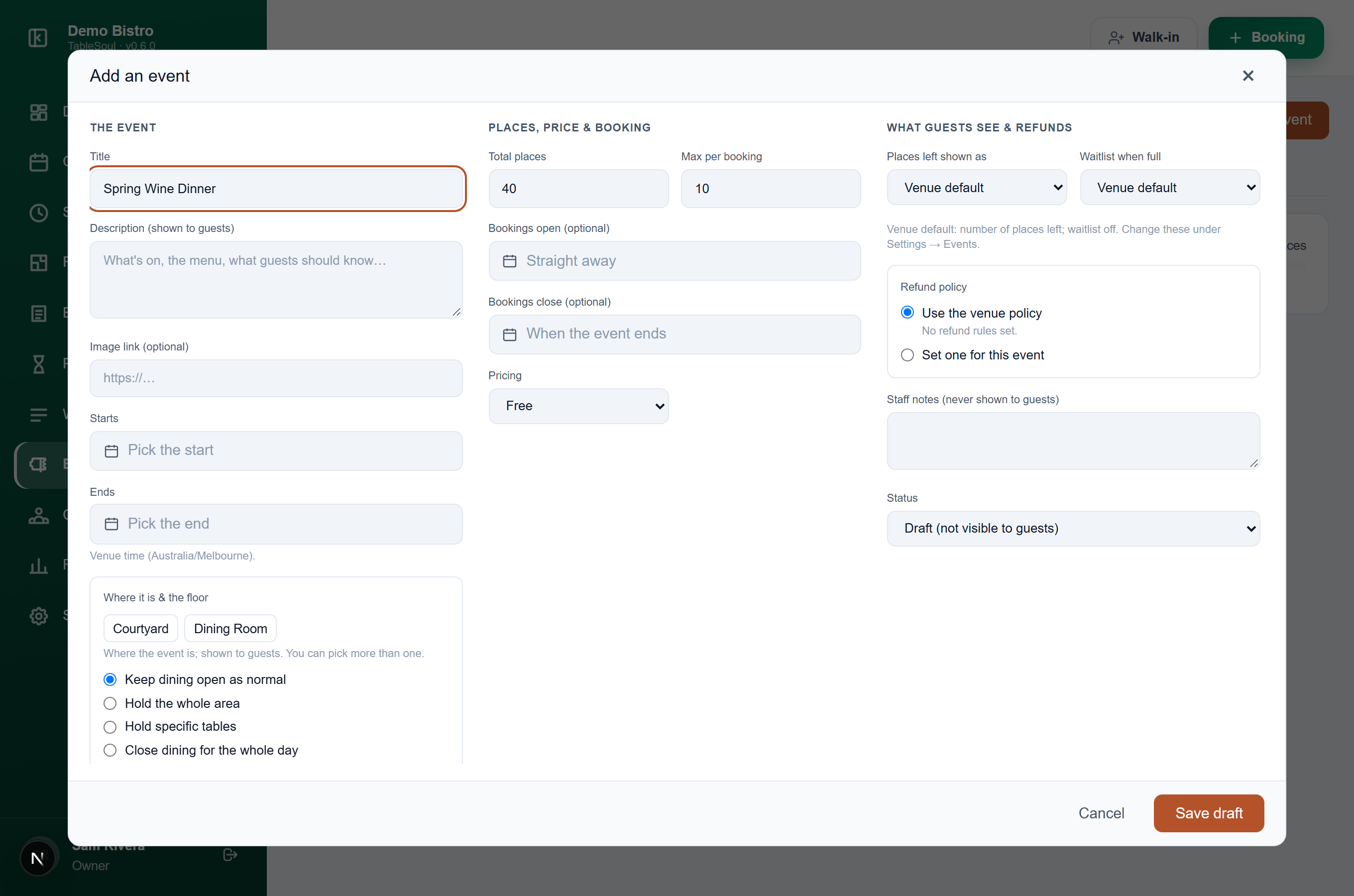 The Add an event window
Set it up
- Events > + Add event.
- Fill in the title, description, Starts and Ends.
- Under Places, price & booking, set Total places and Max per booking.
- Set Pricing to Free. The deposit and card options disappear because they don't apply.
- Choose Where it is & the floor: keep dining open, hold an area or tables, or close dining. See Hold tables and close dining for an event.
- Press Publish event.
What guests do
Guests choose how many places, give their name and a phone or email, and are booked in straight away. They get a confirmation email with a link to view or cancel. There is no payment step. See How guests book an event.
Tips
- Set Max per booking low so one guest can't take half the room.
- Turn on the waitlist for popular events: Run a waitlist for a full event.
- Bookings can be opened and closed at set times with Bookings open and Bookings close.
- Use Export CSV to print a guest list: Manage the attendee list and export it.
- Guests can cancel their own booking up to the start. With no money involved there's nothing to refund.
Tip: Even a free event is worth a short cancellation line in the description, so people release their places if they can't come.
Did this answer your question?