Booking sources and tags
Track how each booking came in, and choose the tags staff can put on bookings, like birthdays and allergies.
Updated 18 October 2026Managers and owners only
Booking sources
Open Settings > Booking sources. When staff create or edit a booking they pick a source so you can see how bookings really arrive.
The list starts with Website, Phone, Walk-in, Facebook, Instagram and Other.
- Add one: type a name (for example TikTok), choose an icon, and press Add source.
- Tick Free text if staff should be able to type a detail, like Other does.
- Deactivate one you no longer use. Past bookings keep their history either way.
- Delete only works if nothing uses it. Otherwise you'll be told how many bookings reference it and to deactivate it instead.
Tags
Open Settings > Tags. Tags are small labels staff put on a booking from its card, such as a birthday or a nut allergy. Guests can add some when booking online.
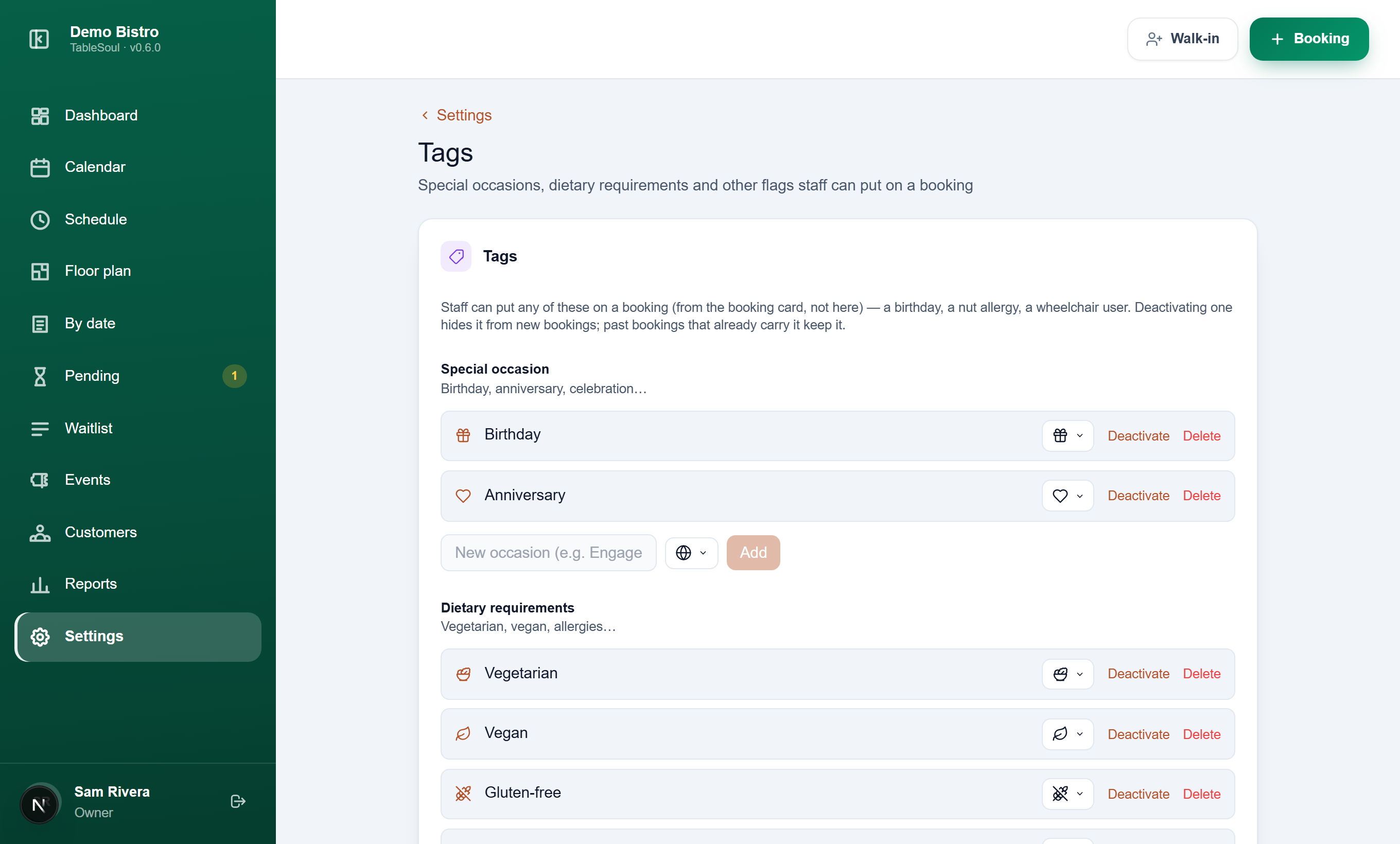 The Tags settings
They come in three groups:
| Group | Starts with |
|---|---|
| Special occasion | Birthday, Anniversary |
| Dietary requirements | Vegetarian, Vegan, Gluten-free, Dairy-free, Nut allergy |
| Other | Wheelchair accessibility, Highchair, Pram, Outside seating |
Add your own (for example Engagement, Shellfish allergy or Quiet table), choose an icon, and press add.
- Deactivate hides a tag from new bookings. Bookings that already have it keep it.
- Delete is blocked while bookings use it. Deactivate instead.
- Dietary and Other tags also save onto the guest's profile as Known for. Occasion tags stay with the one booking. See Customers and guest profiles.
Managers and owners can change sources and tags. Changes save straight away.
Did this answer your question?