Where is each setting? A map of Settings
Every Settings tile, what it controls, and who can open it.
Updated 24 October 2026Managers and owners only
Open Settings from the menu (managers and owners). It's organised in groups of tiles, with a search box at the top. Use it if you're not sure where something lives.
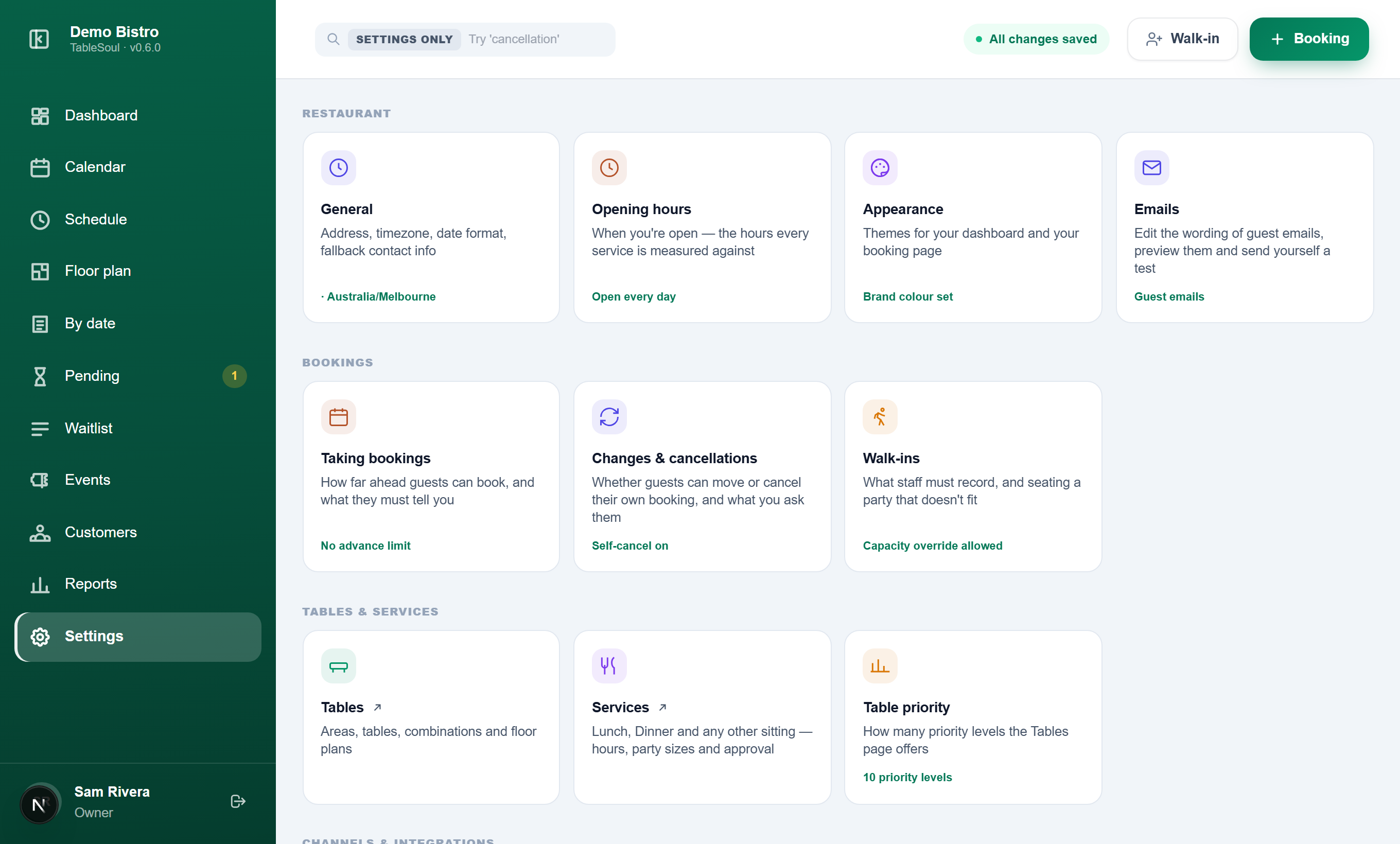 The Settings page
Restaurant
| Tile | What it's for | Guide |
|---|---|---|
| General | Timezone, date format, address, fallback contact info | General settings |
| Opening hours | Weekly hours and special dates | Set your opening hours |
| Appearance | Logo, brand colour, booking page theme | Add your logo and brand colour |
| Emails | Wording and layout of guest emails | Customise your guest emails |
Bookings
| Tile | What it's for | Guide |
|---|---|---|
| Taking bookings | Details guests must provide, how far ahead | Booking rules |
| Changes & cancellations | What guests can change, the cut-off, reasons | Booking rules and Cancellation reasons |
| Walk-ins | What a walk-in must give, and seating one that doesn't fit | Booking rules |
Tables and services
| Tile | What it's for | Guide |
|---|---|---|
| Tables | Areas, tables, combinations, floor plans | Set up areas, tables and floor plans |
| Services | Lunch, Dinner and other sittings | Set up your services |
| Table priority | How many priority levels there are | Table priority |
Channels and integrations
| Tile | What it's for | Guide |
|---|---|---|
| Events (if your plan has it) | Event defaults, Stripe, refunds, waitlist | Events settings reference |
| Booking sources | How bookings arrive | Booking sources and tags |
| Tags | Occasion, dietary and other tags | Booking sources and tags |
| Link & widget | Guest links, QR codes, website embed | Share your booking link, QR code and website widget |
| Spam protection | Limits on public forms | Booking rules |
Account (owners only)
| Tile | What it's for | Guide |
|---|---|---|
| Billing | Your plan, invoices, payment method | Your plan and billing |
Team and communication
| Tile | What it's for | Guide |
|---|---|---|
| Staff (owners only) | Invite, edit, deactivate people | Manage your team |
| Staff invites | How long invite links last | Manage your team |
| Notifications | Your own email and text providers | Staff alerts and notification settings |
Saving
Most settings use the Save changes bar at the bottom. A few save immediately: special dates, sources, tags, logo, emails and billing. If you leave with unsaved changes you're asked Leave without saving?.
Opening a tile directly: a link ending in ?section=hours (or another tile key) goes straight to it. That's how the Help button takes you to the right page.
Did this answer your question?